February 6, 2014
Last year was a pretty exciting time for Salesforce users, admins, and architects alike. We saw massive changes in the way we think about portals and customer engagement through Salesforce Communities. Salesforce1, unveiled at Dreamforce 2013, finally materialized as the killer mobile platform we’ve all been waiting for. So what’s next for 2014? Well, lucky for you I’m a bit of a release-note junky. I’ve boiled down the complete Spring ‘14 Release into a few key takeaways. Here are some of my favorite features from this perennial update:
Skills (pilot)
Consulting organizations rely on employees with specialized skills to deliver the best service possible. For example, at Bluewolf when one of my clients wants to integrate Salesforce and Eloqua, I reach out to Daniel Barnett on our Marketing Services team. Salesforce.com has unveiled Salesforce Skills to help track this kind of expertise, including the ability to endorse colleagues with proven track records. This feature is in limited pilot right now, but I’m anticipating we’ll see a lot of growth in this area (Work.com integration anyone?).
Salesforce1
Salesforce1 was released at Dreamforce 2013 and you better believe salesforce.com will be focusing on this product in 2014. There are quite a few enhancements to Salesforce1 in Spring ‘14, as we see the mobile experience starting to mirror the desktop:
- Communities access: Allows you to toggle between your Communities (Customer or Partner) right in the app
- More options for push notifications to iOS and Android devices
- Dashboards now appear in Global Search results
- Call or email leads directly from the Lead record (this feature previously existed for contacts only)
- New objects are now visible: Opportunity Products & Teams, Quotes & Quote Line Items, Orders
- Embedded Charts (released in Winter ‘14) are now visible on records in Salesforce1
RELATED POST: What The Salesforce1 Platform Means for Developers
Salesforce Files Sync (pilot)
We’ll all agree that collaboration in the cloud is fundamental, however, there are still situations that require good ole’ fashioned offline access. However, offline access can be tricky, as every Marketing department knows that this can lead to reps using out-of-date collateral just because that’s what they have on their desktop. Salesforce Files Sync promises to keep your user’s files saved in the Salesforce Files tab in sync with the version on their local device. Interestingly, we’re not seeing the Sync working with Content (sorry, Marketing, maybe next release!). Either way, it’s a significant play in a space dominated by the likes of Box and SharePoint. We’ll have to wait for Files Sync to go in full production to see how this plays out.
Topics
SFDC old-timers will remember (or still use?!) an early feature called Tags. Salesforce has taken the limited functionality of Tags, added a dash of Chatter’s hashtag functionality, spiced it up with Endorsements, and made it all Global-Search-able, list-view-able, and Chatter friendly. Salesforce Topics delivers.
Endorsements are particularly interesting, as Salesforce uses an algorithm to automatically recognize users’ expertise on a Topic based on mentions and likes in Chatter comments and the like.
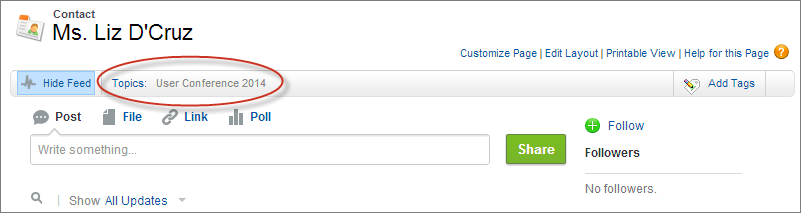
A Contact Record with a Topic:
Knowledgeable users for a particular Topic:

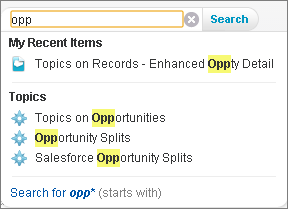
Global search with Topics:
Announcements in Chatter Groups
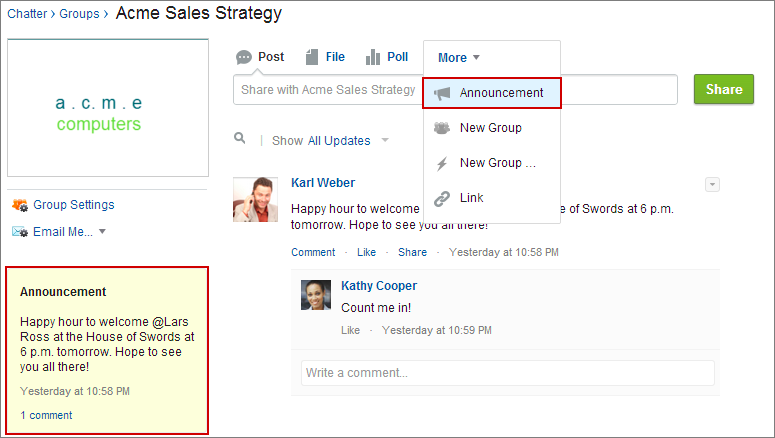
If your organization is like Bluewolf, Chatter has become the go-to tool for communicating important information. But oftentimes, a Chatter post can be missed in the feed—enter Chatter Announcements. Users with the appropriate permissions can now create Announcements, which remain in a prominent position in the Chatter Group until a pre-defined expiration date.
Orders
You may have built an Orders custom object many years ago, but now its available as a standard object. Orders are an extension to the Opportunity/Pricebook/Product/Contract relationships (as if that ERD needed any more lines). There doesn’t seem to be much in special functionality related to Orders with the exception of Reduction Orders, which allow for product returns or reductions in quantities with respect to the original Order.
Salesforce Console - Multi-monitor Support
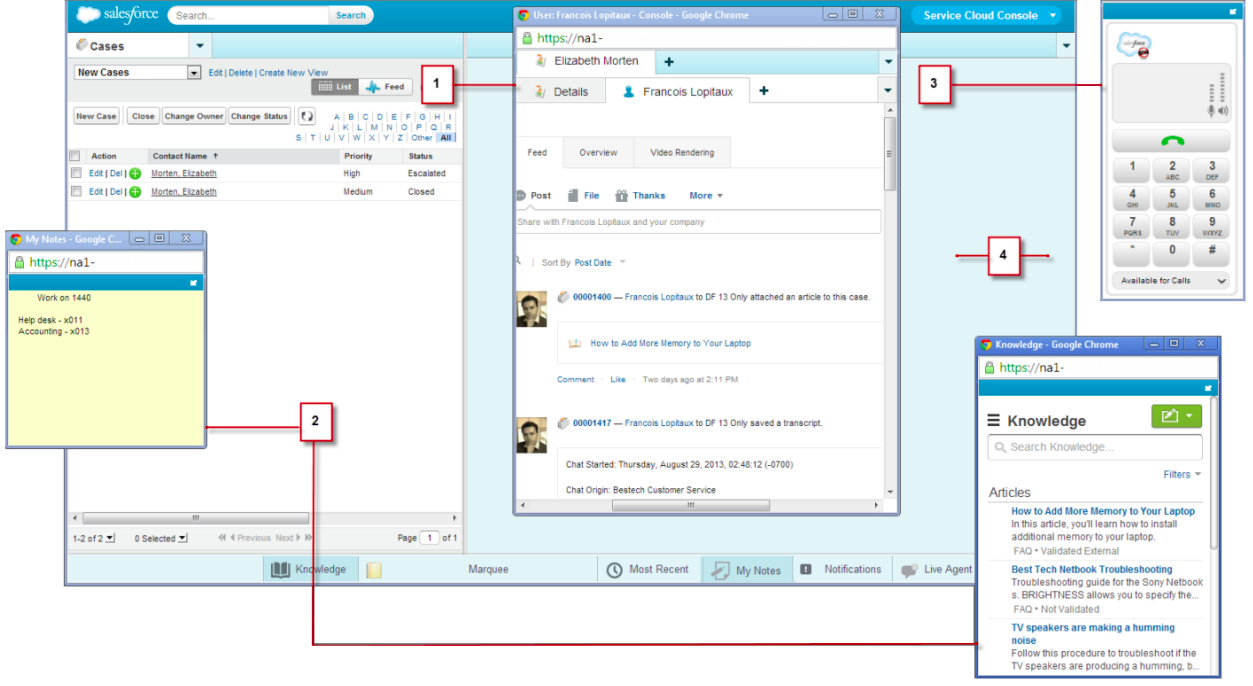
The Console goes huge! Console components can now be popped out as separate components, allowing users to keep their screen organized just the way they want. This should be a great relief to call center users feeling constrained by a single browser window.
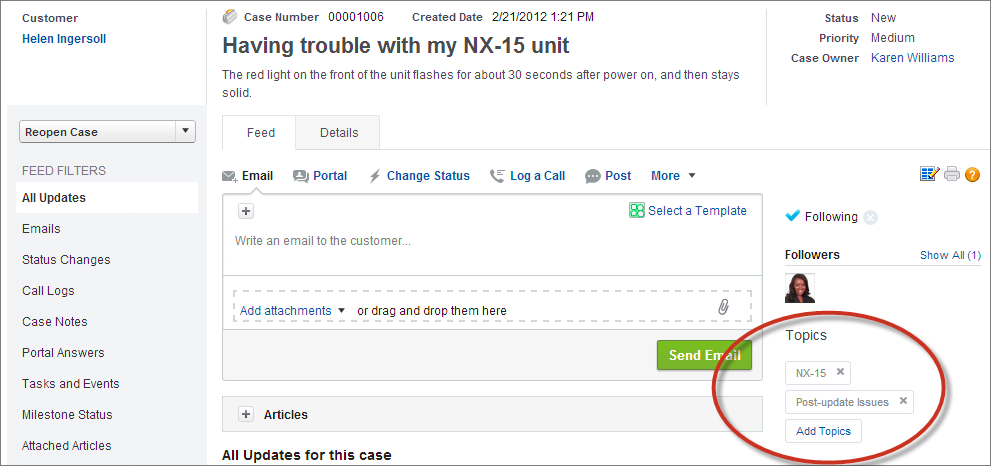
Case Feed Enhancements
Several great new usability features:
• Drag & Drop attachments (I hope you’re not still on IE8)
• Email publisher now supports inline images and resizing
• Emails automatically associate with contacts
• Topics visible in the sidebar
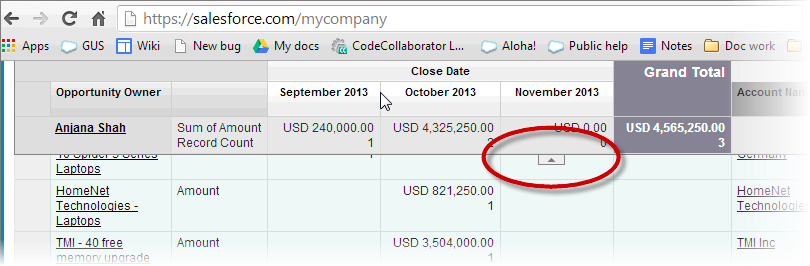
Floating Headers in Summary and Matrix Reports
Finally!
Territory Management Can Now Be Disabled
May it rest in peace.
What now?
Read the full release notes and official Spring 14 overview here.
See how leading companies are utilizing Salesforce updates in our annual review, The State of Salesforce. Download the report