November 3, 2014
Salesforce Communities has been a hot topic for some time now, but with the timely release of Salesforce’s new Community Cloud as part of the Winter ’15 release cycle, the technology has seen a significant facelift.
What is this new “Community Cloud”?
The Community Cloud, similar to Sales Cloud and Service Cloud, is now an umbrella term that encompasses some familiar products: Communities, Chatter, Files. There have been significant product enhancements to increase the business value these products bring to the table. The increase in analytics around Community members, the ability to take action from Chatter posts (such as creating opportunities), and an out-of-the-box integration between Salesforce files and Sharepoint are just a couple key ones.
All of the enhancements can be found in the Winter ‘15 release notes, but in this post, I want to focus on how the Communities platform has evolved to become one of Salesforce’s strategic service delivery mechanisms. I will dive into use cases for Communities to illustrate how it will help progress business goals with your company’s customers, partners, and employees alike.
Three New Features of Communities
There are three major changes to the Communities product: the new Community Designer, Community Templates, and Community Console. These three features contain functionality that takes the communities product to the next level. I want to share with you some key takeaways from the foundational part of the products.
- Communities Designer
The Communities Designer is currently in BETA, but will be innovated and built upon in future releases. The Designer will allow you to easily make branding changes within a chosen Community template to such aspects as colors, fonts, and certain images. These features are positioned to be less technical, geared towards an administrator as opposed to a developer or web designer. With the new Designer, the time to implement a custom-designed community using a branded template is significantly reduced.
If you are familiar with the Site.com Studio tool, then the way the Community Designer is setup to function will look familiar. It is designed to allow you to toggle back and forth between “Design Mode” and “Live Mode,” as well as give you the ability to preview how your community will operate on different devices (i.e. tablet and phone).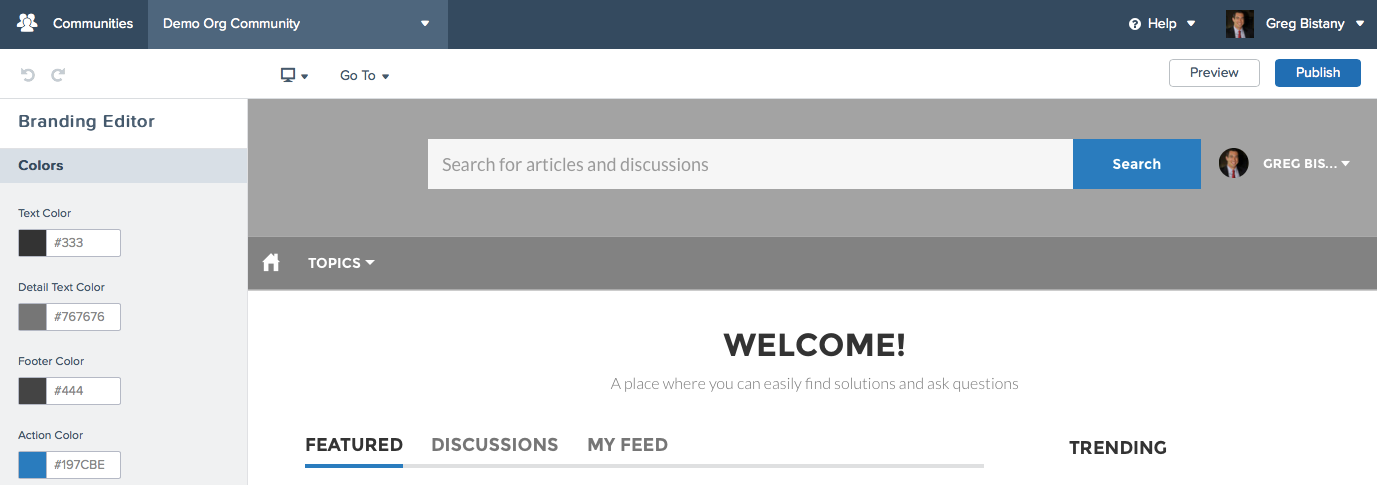
- Templates
One of the goals of the Communities Winter release was to decrease the time it takes to implement a custom community user interface. Community Templates are designed to be "use case specific" — the winter ‘15 release is focused on three self-service use cases. The templates are built using the Site.com Studio tool, and can be personalized using the Community Designer. Some example pages included in a template are: Login Page, Homepage, and Profile Page; from there, the pages become more template specific. Salesforce envisions creating templates to address specific use cases to be placed in a template gallery. Expect this to increase as the platform grows.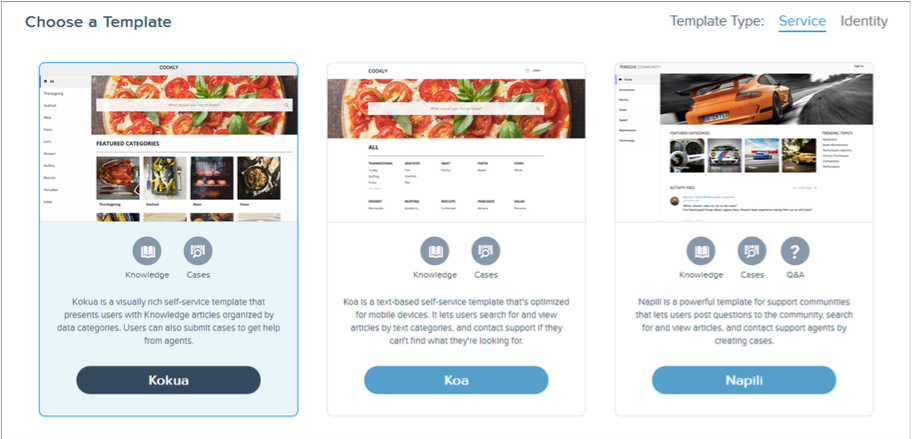
- Communities Manager Console
Salesforce Communities takes on the idea of a company's public forum, enhances it with business processes, and works to align the business’s strategy and goals. The Communities Manager Console has been designed to allow the manager to easily set up, monitor, and maintain different components of the community. Each Salesforce community is set up to have only one Community Manager Console. The Community Manager Console brings analytical information about the Community users, monitors questions and answers, knowledge articles, and cases (specific to the use case).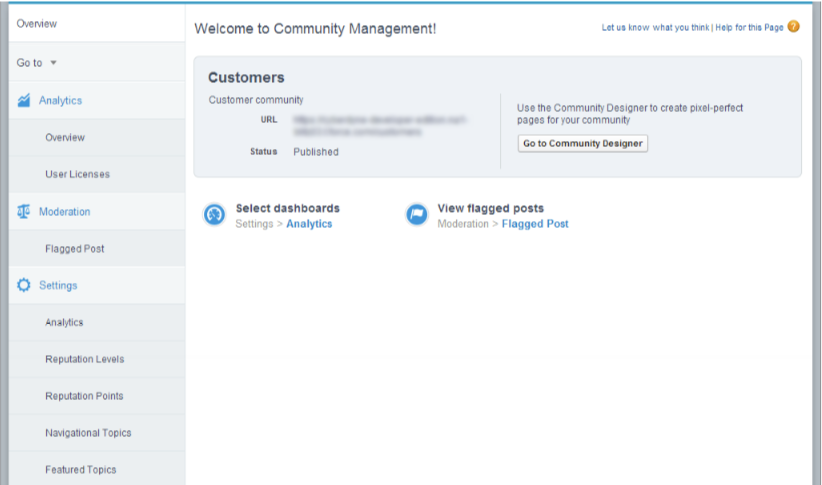
The release of the new Communities platform could not come at a better time for clients who are looking to engage more deeply both internally and externally to their business. I have clients who are looking to determine the ROI for using Communities, and with this release's enhancements to analytics and integration of business process focused configuration, I think companies will better understand the value of implementing one or multiple Communities. Interested to learn more about Salesforce Community Cloud? Contact us to connect with one of our experts.


